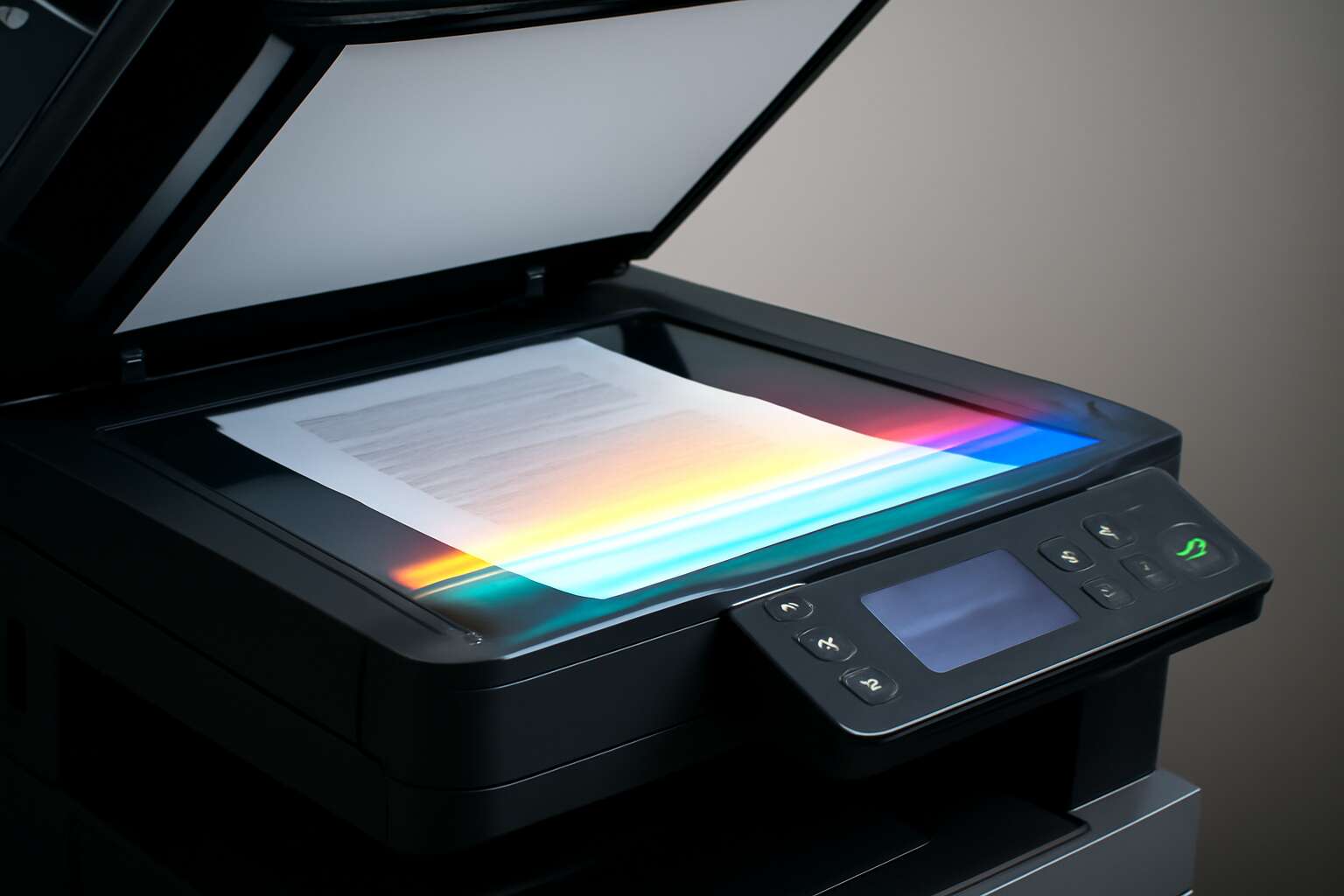
Photocopying technology fundamentals
Electrostatic imaging explained
Across South Africa’s busy offices, a single copier can churn out thousands of pages each week—quietly powering deals, reports, and memories. Understanding how photocopy machine works reveals a quiet drama of light, charge, and heat that replicates a document with near-perfect fidelity.
At the heart of electrostatic imaging, a charged photoreceptor drum waits as a clean image is projected from the original. Light erases certain areas, leaving a map of electrical charges. Toner dust clings to these charges, forming a latent picture that travels to paper when transferred and fused.
- Charge the drum
- Expose with the original
- Develop with toner
- Transfer to paper
- Fuse to fix the image
Key components of a photocopy machine
South Africa’s office life hums with quiet power: tens of thousands of pages cross the copier every week, turning memos into legible memories and invoices into formal proof. Understanding how photocopy machine works reveals a patient, almost ceremonial routine—light, electricity, and heat in careful concert.
Here are the key components that keep that ritual precise:
- Imaging drum
- Charging roller
- Developer unit
- Transfer belt
- Fuser assembly
Together they translate a charged map into a crisp likeness on plain paper.
Paper path and rollers
Photocopiers rely on a simple, stubbornly reliable paper path. From the tray, feed rollers pull a sheet into the throat, where guide rails keep it steady as air and heat do their work later on. Along the path, separation rollers prevent double feeds so a single sheet moves forward with quiet discipline.
- Feed rollers grip and pull
- Registration rollers align
- Transfer rollers hand off toner to paper
Inside South Africa’s offices, the movement around the paper path feels almost ceremonial—every sheet scanned, every page copied—because the rollers and clamps maintain balance between speed and accuracy. Understanding how photocopy machine works helps teams predict jam patterns and maintain uptime while keeping output crisp and consistent.
Color vs monochrome copying
Across South Africa’s offices, the copy run feels like a quiet engine powering productivity. Understanding how photocopy machine works means tracing the dance of light and charged particles: a laser or LED writes an image, toner settles, and heat fuses it to paper. The result is crisp and reliable. Each page is a small performance.
Color vs monochrome copying introduces a second layer of choice. Color adds nuance; monochrome emphasizes speed and cost efficiency. The essentials:
- Color copying uses multiple toner channels and calibration
- Monochrome focuses on a single black toner with higher throughput
- Color output consumes more energy and may require more maintenance
Ultimately, color versus monochrome shapes workflows and budgets, influencing what lands on the page and how fast.
The reproduction process in stages
Charging and exposure steps
In South Africa’s busy offices, a copier is the unsung but indispensable stage manager of paperwork. The reproduction process is a quiet theatre, where clarity and speed meet discipline and a dash of wit.
Charging and exposure form the backbone of this dance. This is a snapshot of how photocopy machine works in action:
- Charging creates a uniform electrical field on a light-sensitive surface.
- Exposure projects the original image, using light to shape the charge pattern.
- Toner particles align with those charged regions, forming the visible imprint.
- Transfer of the image to paper and fixation lock the copy in place.
Developing and transferring toner
Across a bustling South African office, a single print run can churn through around 2,000 pages a day—quiet, steady, and almost supernatural in its precision!
The reproduction process unfolds in stages, with developing and transferring toner at the heart of the action. The drum holds a latent image; during developing, toner particles are drawn to the charged regions, turning a ghost into a visible line drawing. Then, during transfer, the energized sheet attracts the toner from the drum, creating a faithful blueprint on paper.
- Developing the image: toner aligns with charged areas to reveal the pattern
- Transferring the image: controlled contact and pressure pull the toner onto the sheet
That quiet moment, when the copy is fixed and emerges, is the machine’s telltale signature—this is how photocopy machine works in practice.
Fusing and fixing the image
In the fusing and fixing stage, heat and pressure transmute toner into a durable image. The fuser assembly glides across twin rollers, melting particles so they bond with paper fibers. The page exits with a subtle gloss and a quiet, invincible certainty.
- The fuser reaches a precise temperature to melt the toner.
- Even pressure from the rollers embeds the image uniformly into the sheet.
- A cooling cycle seals the bond, preventing smudges and ghosting.
As the sheet travels away, the bond is finalized, and the print slides into the tray with cool efficiency. This is a clear example of how photocopy machine works.
Cleaning and resetting the drum
In a busy South African office, a copier’s drum is the unseen referee of every page. A typical machine handles hundreds of sheets daily, and clean drum hygiene is what keeps lines sharp and shadows honest.
The reproduction process in stages continues with a meticulous cleaning and resetting ritual. A soft cleaning blade removes stray toner while the system test-clears built-up residue, and a careful reset realigns the drum’s timing for the next pass.
Key steps include:
- the cleaning blade wipes away stray toner
- the system recalibrates drum rotation and alignment
- the charge conditions are refreshed for the next image
The lens on how photocopy machine works reveals craftsmanship in motion, and the drum’s care threads through every page, shaping texture and accuracy.
Technology variations across copier generations
Digital vs analog copiers
In bustling Gauteng offices, a single copier can churn through thousands of pages each day, shaping how teams collaborate. That pace hinges on generations of technology, and it’s worth understanding how photocopy machine works across digital and analog lines.
Digital copiers scan pages into a digital image, stash it in memory, and reproduce with laser or LED engines. They connect to networks, support on-the-fly edits, and deliver crisp color, a boon for South Africa’s busy workplaces juggling print with electronic workflows.
Analog copiers stay true to classic engineering: optical exposure, a rolling photoconductor, and toner transfer without heavy digital processing. Rugged, fast, and often cheaper upfront, they remain dependable workhorses in busy back offices where simplicity beats bells and whistles.
Laser vs LED imaging engines
Vibrant Gauteng offices churn through pages at a startling pace—one copier in a busy Johannesburg firm can push past 5,000 pages daily. How photocopy machine works is a study in two architectures: laser and LED. Laser engines map a fast, rotating drum with a scanned beam that charges, writes, and develops an image in a few precise steps. LED systems harness a linear array of diodes, delivering a steady silhouette of light with fewer moving parts. The result is a dialogue between speed, noise, and longevity that shapes daily workflows.
To glimpse the distinctions, a quick contrast:
- Laser engines lean into high-volume performance with robust toners.
- LED engines run cooler, with longer life and quieter operation.
- Color reproduction and maintenance profiles shift subtly between approaches.
Both paths hide the same purpose behind a veneer of brightness, meeting South Africa’s demand for dependable records.
Duplex and paper handling features
In busy South African offices, duplexing can cut paper use by up to 50%, a quiet revolution in everyday productivity. Seeing the evolution from aging workhorses to modern twins of speed and endurance reveals a truth: technology variations across copier generations matter.
Modern machines layer paper handling with speed and mercy: auto-duplex modules, stacked trays that know when to catch the next sheet, bypass trays for thicker stock, and finishing options that staple, hole-punch, and collate without manual shuffling!
Key enhancements across generations include:
- Automatic document feeders that support two-sided capture
- Single-pass duplex printing for fast, quiet operation
- Expandable paper paths and media support for envelopes, labels, and card stock
Understanding how photocopy machine works helps South African offices align expectations with what the device can routinely handle.
Color copying technologies
In South Africa’s busy offices, color copies aren’t just pages — they’re tiny signals of efficiency and care. How a device handles color, paper, and speed shapes the workday from the first copy to the final file. To truly grasp how photocopy machine works, you follow the path from toner to transfer.
Technology variations across copier generations have quietly rewritten color copying technologies. Early engines relied on slower ribbons and fixed color channels; modern systems employ single-pass color scanning, smarter color management, and expanded media paths to handle envelopes, labels, and card stock with confidence.
- Unified color engines that print and scan in one pass for speed and quiet operation
- Self-calibrating color management to keep consistency across batches
- Adaptive paper paths that accommodate thicker stock without jams
These shifts mean South African offices experience fewer interruptions and more reliable color outcomes, every day.
Energy efficiency and sustainability features
South African offices move at the pace of a high-speed espresso shot, and the right copier keeps up without guzzling power. A Cape Town facilities manager once quipped, “Efficiency is the new black,” and modern color systems wear that badge proudly.
Technology variations across copier generations have quietly rewritten energy use. How you check the status matters: single-pass color scanning, smarter color management, and broader media paths now trim waste while delivering punchy output. To truly understand how photocopy machine works, you follow the route from scan to finished page.
- Auto sleep and auto-off modes that cut idle power
- Built-in duplex capability and efficient fusing to save paper
- Toner cartridges designed for recycling and reduced waste
Energy efficiency isn’t just a gimmick; it’s part of SA office culture, turning every color job into a greener victory and a quieter desk!
Practical insights for users and maintenance
Troubleshooting common issues
A crisp page can feel like a small victory in a busy South African office, while a paper jam sends a rumor through the corridor. The allure isn’t flashy — it’s the hidden rhythm behind how photocopy machine works, a careful choreography turning light into reliable copies.
Practical insights for users flow from respect for the machine’s environment. Handling cleanly, using paper within spec, and keeping humidity stable helps maintain quality and reduces downtime. These habits support maintenance efforts without drama, keeping every page predictable and precise.
- Ghosting or faint areas where density veers irregularly
- Streaks or lines across the page
- Frequent misfeeds or paper jams
- Smudges or haze on printed copies
Taken together, these observations illuminate the practical side and why the copy workflow endures without devolving into routine repair scripts.
Choosing the right copier for your workspace
Within the humming hush of a South African office, understanding how photocopy machine works reveals the quiet architecture behind every crisp page. Practical insights flow from respect for the machine’s habitat: keep the feed path clear, use paper within specification, and hold humidity steady. These habits keep the cadence of copies true and downtime small; the workflow holds its rhythm even on the busiest mornings. Ghosting and misfeeds retreat when the environment breathes with the machine.
Choosing the right copier for your workspace is a ritual, not a race! In South Africa, the best partner aligns with your tempo and space.
- Monthly duty cycle and workload
- Duplex and media handling
- Local service and consumables
Preventive maintenance and service intervals
South African offices know downtime bites harder than load-shedding. A recent industry note suggests that preventive maintenance can cut breakdowns by a significant margin—if vigilance is routine rather than reactive.
Understanding how photocopy machine works is practical wisdom; it helps anticipate wear and schedule care. Daily duties include clearing the feed path, keeping paper within specification, and maintaining stable humidity to protect image fidelity.
- Daily vigilance: jam avoidance and tray alignment
- Weekly maintenance: interior dust management and optical cleanliness
- Quarterly service: professional inspection and firmware updates
With consistent service intervals, the copier remains dependable, and when questions arise, a local technician is never far away.
Toner management and drum life tips
South African offices know downtime bites harder than load-shedding, and a simple habit pays dividends. A recent industry note suggests routine checks reduce avoidable faults when kept consistent. Understanding how photocopy machine works is practical wisdom that helps you anticipate wear and schedule care.
Practical insights for users begin with daily vigilance: jam avoidance and tray alignment save minutes and nerves. Humidity and paper grade influence output; check both before a busy morning. Toner management matters:
- Store toner cartridges upright and away from heat to prevent clumping.
- Use manufacturer-recommended drums and replace them when life indicators show.
- Keep the imaging area clean with a soft microfiber to preserve sharpness.
Drum life tips next: avoid prolonged high-volume runs with marginal media; run a calibration routine periodically; and don’t mix old with new toner. With steady care, your copier stays dependable, and a local technician is never far away.

0 Comments