Understanding printing and copying needs
Assess daily print volumes and peak hours
Office life in South Africa churns through paper at a surprising clip—the average desk prints around 10,000 pages a year, one of those invisible engines of productivity. When choosing a printer or photocopier, reliability and duty cycle trump flashier features, because downtime is the villain of every looming deadline.
- Daily print volume (pages)
- Peak hours of activity
- Document mix (bills, reports, forms)
- Colour versus mono printing
To understand needs, map daily print volumes and peak hours; these measurements translate into better duty cycles and fewer bottlenecks.
A smart choice aligns speed, reliability and energy use with daily rhythms, turning a good device into a quiet teammate rather than a drama magnet.
Evaluate color versus monochrome requirements
Colour is a luxury that quietly drains the budget, and a veteran SA admin once quipped, “Colour is for flyers, not for daily work.” I’ve found that most office tasks thrive in grayscale, with colour reserved for branding moments and charts that demand emphasis. When choosing a printer or photocopier, the colour-versus-mono debate should reflect usage patterns, not swagger.
Key decision levers include:
- Document mix: reports with charts often justify colour, while invoices usually do not
- Branding needs: marketing collateral benefit from colour consistency
- Cost and toner consumption: colour pages are typically more expensive per page
In South Africa, energy efficiency and maintenance rhythms matter; a well-chosen printer or photocopier aligns with office tempo and budget. You’ll strike a balance between the vividness of colour and the practicality of mono printing, letting the device perform as a composed companion rather than a dramatic diva.
Identify typical media types and sizes
The page budget reveals itself in the tray, as a veteran SA admin would tell you. Understanding printing and copying needs means pairing media with the tasks you run—reports, invoices, and the occasional marketing burst. The machine should hum with calm, not drama.
Here are typical media types and sizes you’ll encounter:
- A4 and A5 for daily reports and handouts
- Letter and Legal for formal correspondence
- A3 for charts and posters
- Card stock and envelopes for presentations and mail
In South Africa, energy efficiency and maintenance rhythms shape your choices. Your printer or photocopier should serve as a composed ally, quietly handling media without flaring into the spotlight.
Plan for future growth and multi-function expectations
In South Africa’s offices, page demands surge like a sudden storm—quarterly totals can spike up to 30% higher than the quiet months. Understanding printing and copying needs isn’t a one-off check; it’s a compass toward a printer or photocopier built to breathe with your business.
Think multi-function as the backbone: print, copy, scan, and perhaps fax, all in one quiet partner. Envision future workflows, automated batches, secure access, and remote printing. The aim is a device that scales with teams and territories, keeping costs predictable while delivering consistent quality.
Pairing this resilience with service rhythms—local technicians, ready parts, energy-efficient modes—keeps it a steady ally, not a diva. As the journey unfolds, the right machine becomes a living system that grows with your South African business.
Printer and photocopier features to prioritize
Print speed and first page out time
Deadline demons stalk the office, but a brisk FPOT can slay them. In South Africa’s bustling workplaces, up to one in three print jobs stall for FPOT. The difference between productivity and chaos rests on a few breaths of speed: a printer or photocopier that wakes with purpose, and I listen as it sighs awake, not a reluctant crawl from sleep. Yes, print speed matters, but the first page must arrive with quiet certainty, letting teams breathe and press on!
- First-page-out time becomes a core metric—speed from wake to print.
- Single-pass duplexing handles double-sided jobs without delay.
- Ample memory and smart buffering prevent data bottlenecks.
Seek machines whose firmware reads like a steady heartbeat, streaming data with discipline. The right balance turns a crowded queue into calm throughput, where the printer or photocopier answers with minimal latency.
Scan, copy, and fax capabilities
In the rhythm of a bustling South African office, latency is the quiet thief. “Every second saved is a decision made,” notes a manager. A printer or photocopier should wake with intent, turning pages into progress with minimal drama.
Scan quality is the compass—look for crisp color detail, automatic duplex capture, and OCR that makes PDFs searchable. The device threads documents into cloud folders or network drives, where teams can find what they need in a heartbeat.
Copy and fax prowess complete the circle: single-pass duplex copying, reliable fax transmission, and secure print ensure sensitive materials stay protected while workflows glide along.
Key capabilities worth prioritising include:
- Scan to email or cloud storage with OCR
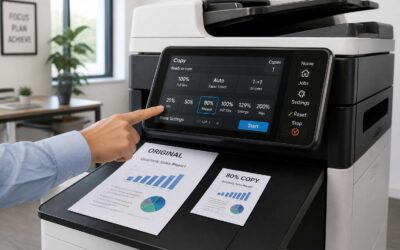
- Copy with automatic duplex and scaling
- Fax integration and secure transmission
When firmware hums with discipline, queues unfurl into calm throughput and workstreams breathe.
Automatic document feeder and paper handling
In the ceaseless tempo of South African offices, every second saved becomes momentum. A quick glance at downtime metrics suggests that sluggish paper handling drains minutes that compound into milestones. A printer or photocopier should greet the day with intention, turning pages into progress with calm, decisive rhythm.
Prioritise Automatic document feeder and paper handling—the unsung spine of any workflow. An ADF that swallows stacks and a resilient paper path keep queues calm, while high-capacity trays and jam-smart logic prevent interruptions. The result is steady throughput and less drama at the device.
- Automatic document feeder with high sheet capacity
- Adaptive paper handling for mixed media
- Smart jam recovery and reliable path control
With these traits, your printer or photocopier becomes a quiet conductor, threading documents into the right folders and cloud drives, so teams move with purpose rather than pause.
Connectivity and security options
Connectivity is the quiet backbone of a working day, where every page from a printer or photocopier travels through a lattice of signals toward its destined folder. In South Africa’s bustling offices, secure networks turn potential delays into deliberate momentum, transforming a slow queue into a steady current.
Consider these connectivity and security traits to prioritise:
- Secure print release with PIN, badge, or mobile authentication
- Encrypted data transfer over TLS and secure cloud communications
- Centralised management with audit trails and firmware integrity checks
With guardians at the gate, teams move with purpose, documents threading into folders and cloud drives as if guided by a patient, unseen conductor.
Technology choices and performance trade-offs
Inkjet versus laser print quality and running costs
Color prints are the showroom floor of any office, and in South Africa they often win the day—if you’re paying the bill. Inkjet promises lush gradients and magazine-quality photos, but the cost per page climbs with every high-res image. Laser keeps things crisp, fast, and economical for text-heavy jobs, though color isn’t its strongest suit. When choosing a printer or photocopier, it’s about balancing chroma dreams with real-world running costs. Here’s a quick compass:
- Inkjet is ideal for color fidelity, photos, and marketing proofs.
- Laser excels at speed, high-volume text, and lower per-page costs for b&w work.
- Hybrid or color-capable devices can offer a pragmatic compromise for mixed needs.
In practice, the winner depends on your monthly color usage, service reach, and the fleet’s total cost of ownership—especially in SA where power costs and support networks matter.
Monochrome versus color output performance
Color wields attention like a spotlight in SA boardrooms, while monochrome keeps the budget’s pulse steady. A recent South African office study suggests color proofs can triple the per-page cost, turning every printer or photocopier decision into a careful dance between impact and expense.
- Monochrome: razor-sharp text, lower toner and faster throughput
- Color: richer images for proofs and marketing, but higher consumables and longer cycles
Choosing a device becomes about aligning performance with demand—text-heavy tasks sing in monochrome, while color shines when visuals matter. The right mix respects workload rhythms, power considerations, and service reach across SA while keeping total cost of ownership in view.
Multifunction printers versus standalone devices
In SA offices, 60% of routine print tasks land inside a single shift—yet the rhythm can break when the setup misfires. Multifunction printers and standalone devices each pull their weight. MFPs knit scanning, copying, and printing into one workflow, slashing trips to the IT cupboard and keeping teams moving. Flexibility can carry higher running costs and longer warm-ups in peak hours.
- Integrated scanning and document handling
- Consolidated management and security features
- Compact footprint for space-tight SA offices
For throughput and predictable mono tasks, standalone laser units often win on cost per page and first-page-out time. If color proofs matter, a color-capable device—MFP or standalone—offers impact with higher consumables and longer cycles.
Evaluate service reach, parts availability, and remote management in SA. The right mix respects workload, footprint, and total cost of ownership; a printer or photocopier should disappear into the workflow rather than disrupt it.
Consumables and maintenance frequency
Across South Africa, 60% of routine print tasks land inside a single shift, yet a stalled start can derail a deadline. When choosing a printer or photocopier, speed is only part of the story. I’ve seen teams stumble when warm-up times spike or when the device balks at a simple scan mid-task. The right machine vanishes into the workflow, leaving people focused on the work, not on the hardware.
Consumables and maintenance frequency shape long-term costs. Consider:
- Toner or ink yield and cost per page
- Warranty coverage and service intervals
- Remote monitoring and predictive maintenance
Ultimately, the decision is a chess game of reliability and running costs, not flashy specs. Footprint, service reach, and consumables cadence determine true performance over time, especially in busy offices where resources are tight. The device should vanish into the workflow rather than demand attention.
Energy efficiency and eco settings
Technology choices shape a device’s daytime energy footprint as surely as its clocked speed. In South Africa, a printer or photocopier that glides into low-power sleep between tasks keeps bills in check and offices calmer! I’ve observed how eco settings—when chosen with intention—cut idle-watt waste without throttling throughput or morale.
- Automatic duplexing reduces paper and energy use
- Rapid wake times keep work moving smoothly
- LED indicators and low-heat components lower idle draw
Energy efficiency isn’t just a tick-box feature; it’s a rhythm. When a device is aligned with the office tempo, it sips power at rest and behaves with discipline when tasks arrive, turning sustainability from a policy into a daily experience.
Buying guide and budgeting for long-term value
Total cost of ownership over three to five years
That price tag on a printer or photocopier is only the opening act; the real drama unfolds over three to five years as ink, maintenance, and downtime drift into the budget. A buying guide isn’t about chasing the latest gadget but mapping total cost of ownership to your office’s rhythm. In South Africa, where downtime can derail deadlines, investing in reliability, service plans, and energy efficiency pays dividends well beyond the initial invoice.
I’ve learned that long-term value sits at the confluence of reliability, consumables readiness, and service flexibility. Think in terms of three pillars, each measurable over time: upfront price, ongoing costs, and uptime.
- Consumables and replacement intervals
- Service plans and maintenance frequency
- Energy use and eco settings
A prudent choice aligns the printer or photocopier with your growth trajectory and business tempo.
Cost per page considerations
South Africa’s offices know downtime is expensive, and the right printer or photocopier pays for itself in quiet reliability. When budgeting, look past the opening price and measure how the machine fits your office tempo over three to five years. Real value shows in steady performance and energy use that won’t surprise the monthly bill. A buying guide becomes a map of long-term value, guiding you toward a choice that fits growth and daily demand.
Cost per page considerations anchor that map. The price per page depends on ink yield, replacement supplies, and how your pages balance text with graphics. A modest sticker price can drift into the red if pages cost more than expected or if service windows interrupt work. Choose a printer or photocopier that treats page cost and reliability as equal partners, keeping everyday tasks flowing across busy SA days.
Warranty, service, and support options
South African offices lose more to downtime than they gain in a coffee break—some studies peg the cost at up to 5% of monthly output. When budgeting for a long-lived workhorse, a comprehensive warranty and a robust service plan are as vital as the device itself. A prudent buyer treats warranty, service, and support as a single ecosystem, ensuring a printer or photocopier stays productive through busy SA days.
- On-site versus depot service coverage and response times
- Authorized service network in South Africa and access to genuine parts
- Consumables and maintenance inclusions or discount programs
Common considerations include on-site service options, response times, local support, coverage of parts and labour, software updates, and the balance of extended warranties with maintenance costs. The right plan protects peace of mind and preserves long-term value in a dynamic office environment.
Brand comparisons and model recommendations
In South Africa’s fast-paced offices, downtime eats profits—costing up to 5% of monthly output. Choosing the right printer or photocopier is a strategic decision, not a spur-of-the-moment buy. A long-term value approach weighs upfront price against service guarantees, consumable costs, and resilience.
Budget for three to five years by comparing total cost of ownership, energy use, and support options. Brand comparisons should favour groups with strong SA service networks, genuine parts, and lasting firmware updates. Brand-driven recommendations should align with your team’s growth and workload patterns.
- Reliability and service footprint in SA
- Consumables cost and availability of parts
- Warranty, maintenance plans, and software updates
For model recommendations, consider monochrome workhorses for high-volume print, colour multifunctions for shared projects, and compact devices for tight spaces. This trio helps preserve long-term value for your printer or photocopier as teams expand.

0 Comments