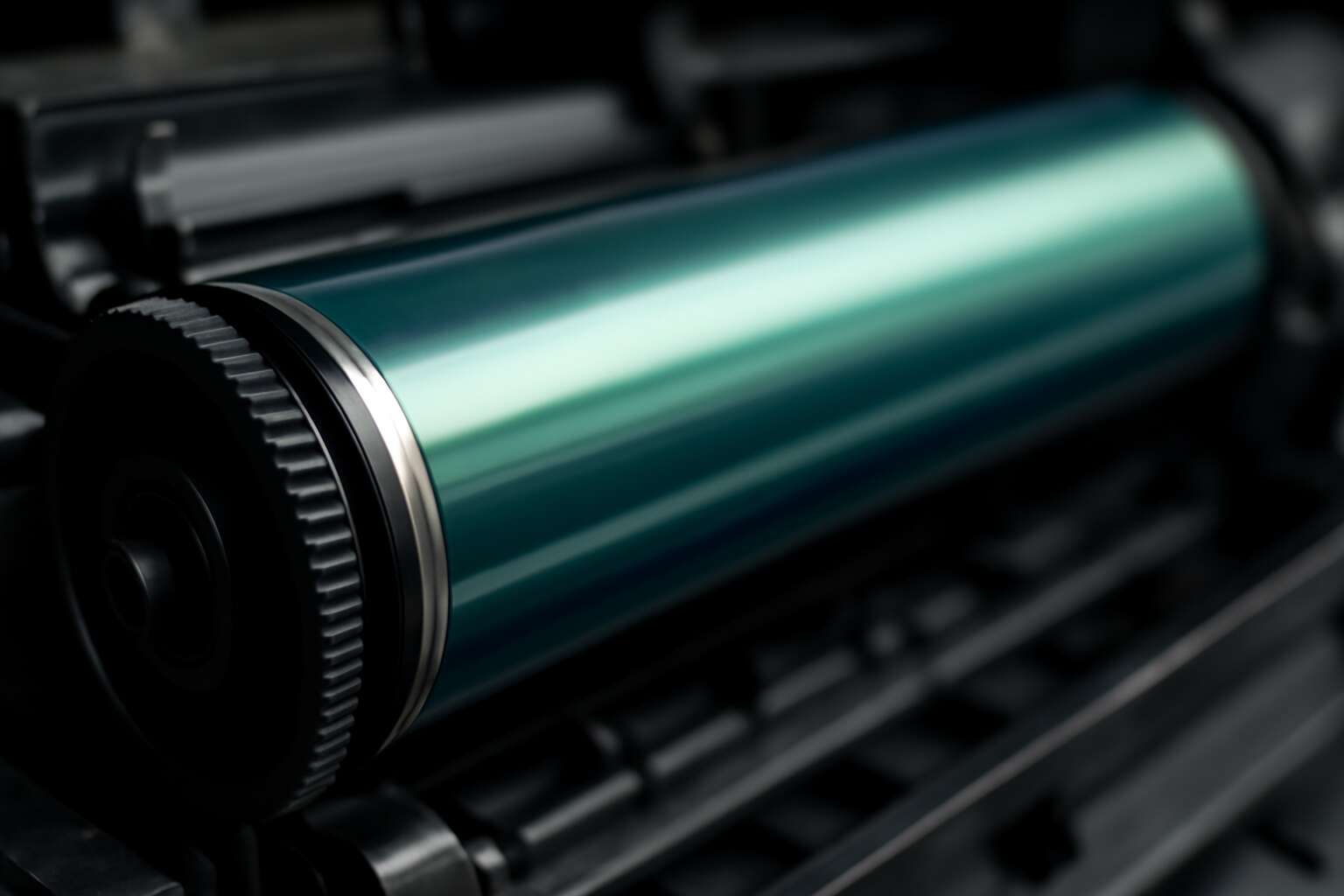
Understanding Imaging Drums in Printers and Copiers
What is an Imaging Drum and its Function
In the dim glow of a busy South African office, the photocopier drum anchors the cadence of every page. It decides where toner lands, where light turns to shadow, and how crisp your memo will feel in the hand. A quiet heartbeat, the imaging drum shapes the final image with patient, almost spectral precision.
Understanding its roles unfolds like a short litany:
- Replicates the latent image by attracting toner to the drum
- Transfers toner to paper, creating the finished page
- Wears with use, signaling when a replacement is near
With such an instrument at work, offices in South Africa find the margin where reliability and craft meet, ensuring every print carries the weight of its origin.
Key Materials and Construction of the Drum Unit
“Every page begins with a promise of precision,” a seasoned SA technician likes to remind us. The imaging drum sits at the heart of printers and copiers, turning unseen light into tangible detail and giving each memo its crisp, confident edge. This is where imagination meets engineering in the quiet glow of the office rhythm.
Crafted from a careful stack of materials, the drum’s construction balances durability with delicate handling. Key materials and their roles include an aluminum core, a photosensitive OPC layer, a protective coating, and the elastomeric bearing that keeps steady contact with the toner.
- Aluminum core for rigidity
- OPC layer for image sensitivity
- Protective coating against wear
- Elastomeric bearing for even contact
When these parts join, the drum becomes more than metal and film; it is a living conductor of print quality. In the world of South African offices, the photocopier drum carries the weight of every page, aging gracefully as toners glide on its surface.
Role of the Drum in the Printing Process
A drum is the quiet architect of every page. In the glow of the office cube, it holds the stage where light becomes detail. “A single page is born in the quiet glow of a drum—’precision is a promise,’ a veteran SA tech likes to say.” In printers and copiers, the imaging drum turns photons into tangible lines, letting your memos land with confidence. In South African offices, this craft hums daily, unseen yet essential.
Understanding its role in the printing process reveals how paper emerges with clarity. A laser writes a latent image on the drum’s photosensitive surface; the toner is attracted to that pattern; a transfer roller deposits the image onto paper; and heat fuses the toner to give lasting detail. That cycle is powered by the photocopier drum and its quiet partnership with toner.
- Image formation
- Toner attraction
- Paper transfer
Common Drum Sizes and Specifications
Understanding Imaging Drums in Printers and Copiers reveals the quiet architect behind every page. In a South African office, the photocopier drum sits near the desk, silently turning light into lines with patient, enduring precision. Size matters less than its ability to hold a clean latent image and to transfer toner consistently.
Common drum sizes and specifications follow the families of printers, not a universal standard. Consider these factors when evaluating a drum’s fit:
- Diameter and length aligned to the device class
- Mounting style and rotation tolerance
- Photosensitive layer material and surface finish
- Expected life (pages) and environmental tolerance
With this knowledge, technicians and procurement teams can better match parts to machines, reducing waste and keeping workflows smooth across busy offices. That practical awareness helps SA offices—where reliability matters as much as speed—keep print runs steady and futures bright.
Impact of Drum Condition on Print Quality
South African offices hum with a steady rhythm, yet the true maestro is the photocopier drum, turning light into line with patient precision. Its health quietly dictates clarity and contrast; a worn surface mutters faint halos, while a pristine finish yields clean, confident text. The drum’s condition is a quiet witness to every print, shaping the page long after the machine falls silent.
Here are the telltale signs that drape a page in uncertainty:
- Ghosting and faint banding across large runs
- Inconsistent density or unexpected shading in backgrounds
- Toner smears or specks where pages meet the feed
In the SA office, where reliability and speed are the lifeblood of workgroups, the drum is a patient archivist—its wear writing a quiet footnote to every job, every deadline, every future.
Maintenance, Longevity, and Care
Cleaning and Maintenance Best Practices
In South Africa’s busy offices, a neglected photocopier drum can quietly inflate costs—roughly one in five reprints are tied to drum wear and misalignment. Maintenance isn’t glamorous, but it pays for itself in fewer jams and crisper pages.
Longevity hinges on a clean, stable environment and gentle handling. Keep the device away from heat spikes, dust, and sudden jolts. Regular inspection for toner leaks or scratches guards against creeping degradation and costly downtime.
Care, cleaning and maintenance best practices are simple and economical.
- Power down and cool the unit before touching internal parts.
- Use a lint-free cloth to wipe exterior surfaces and avoid touching sensitive surfaces.
- Store replacement components in anti-static packaging and replace seals per manufacturer guidelines.
Signs of Drum Wear and Defects
In South Africa’s busy offices, one in five reprints traces back to drum wear and misalignment, a sobering reminder that maintenance is not glamorous but essential. The photocopier drum thrives when kept in a clean, stable climate—cool, dust-free, and handled with care—then it delivers crisper pages and fewer jams.
Longevity hinges on gentle handling and a harmonious environment. Be mindful of signs of drum wear and defects:
- Fading, uneven toner patches appearing across pages
- Ghosting or density variations that break the image rhythm
- Visible scratches, scoring, or micro-grooves on the drum surface
- Unexplained increases in toner usage or recurring misfeeds
These cues echo a story of time and resilience for the photocopier drum. In offices across South Africa, attentive care sustains performance and dignity.
When to Replace versus Repair the Drum
Across South Africa’s bustling offices, roughly one in five reprints can be traced to drum drift rather than user error. The photocopier drum performs best in a quiet, clean environment and with careful handling—where pages land crisply and delays melt away.
Longevity is a narrative of balance. Gentle handling, a stable climate, and mindful use extend its life. When considering the drum’s future, managers weigh cost, uptime, and whether print quality remains consistently reliable under service constraints.
To frame the decision, a few factors shape the outcome:
- Cost trajectory and downtime implications
- Warranty coverage and service support
- Quality consistency and compatibility with newer equipment
Preventive Maintenance Scheduling
In South Africa, roughly 18% of reprints trace to drum drift rather than user error, a reminder that prevention shapes performance. The photocopier drum operates like a quiet conductor, guiding pages toward crisp alignment. With gentle handling, a steady climate, and mindful use, longevity grows and downtime recedes. This balance—care today for reliability tomorrow—frames decisions about the drum’s future within every office where uptime matters as much as print quality.
- Preserve imaging quality and consistent output through regular assessments of the drum surface and toner alignment.
- Align service scope with warranty coverage and planned equipment upgrades.
- Maintain a clear, traceable service history to support predictable performance.
A preventive maintenance scheduling mindset isn’t a burden but a living map, keeping the drum singing through busy seasons and quiet months alike.
Troubleshooting Print Defects Related to the Drum
Offices run on silence and uptime; in SA fleets, even a whisper of defect can derail a day. The photocopier drum, a discreet maestro, shapes every page. When it’s cared for, print quality remains crisp and consistent; neglect invites drift and downtime.
Longevity hinges on gentle handling, steady climate, and mindful usage. A clear, traceable service history keeps reliability audible through busy seasons and quiet months alike.
- Gentle contact with media and smooth tray handling
- Stable temperature and humidity to support uniform toning
- Consistent use of approved supplies to reduce wear
When defects appear, assess the drum’s surface and alignment with a cautious eye: ghost images, banding, or uneven density signal potential issues in imaging or toner distribution. The path to resolve rests in observing signs, correlating with service history, and consulting manufacturer guidance rather than quick fixes.
Replacement, Compatibility, and Installation
Identifying Compatible Drums for Your Device
Replacement often arrives like a quiet omen: when print shadows turn faint and the image dulls, the drum has sung its last note. I watch the page come alive again as a fresh unit enters, and the room seems to hold its breath for clarity to return—the photocopier drum renewing its vow!
Compatibility is the quiet chorus guiding your choice. Identify your device’s exact model and cross-check the drum’s part number with the manufacturer’s catalog. When in doubt, favor drums designed for your brand. In South Africa, local suppliers offer genuine and reputable options.
- Device model and drum part number
- OEM versus compatible brands
- Supplier warranty and return policy
Installation, when performed with reverence, is a delicate act. Handle the unit by its edges, avoid fingerprints, and let it seat itself in its guides. Then run a test page to witness the renewed fidelity speak from the photocopier drum.
OEM vs Aftermarket Drum Options
Across South Africa’s busy offices, nearly a third of print quality complaints trace to a dying photocopier drum. When it falters, shadows creep into images and text grows hazy. Replacement restores fidelity, the drum renewing its vow to keep pages crisp and consistent.
Compatibility is the quiet gatekeeper. The compatibility hinges on the device model and drum part number, aligning with OEM or compatible brands. Be mindful of supplier warranty and return policy.
- OEM vs aftermarket drum options
- Warranty terms and return policy
- Local availability and price
Installation, when done properly, reads as a careful ceremony: alignment matters, fingerprints are minimized, and a test print often follows. In South Africa, service centers and local suppliers can guide the process, ensuring the drum seats correctly and performs as expected.
Step-by-step Drum Replacement Guide
Replacement is the quiet act that sustains clarity. When the photocopier drum falters, shadows creep and text grows pale; swapping it out restores precision, like turning a dull page into a bright, confident document. In busy South African offices, a proper fit matters for weeks of steady output.
Compatibility is the gatekeeper—match your exact device model and drum reference before purchasing. The right pairing keeps density, alignment, and color steady, with a straightforward warranty check from your supplier.
Installation is the final ritual, especially in South Africa, where service centers can guide a precise seating and calibration. With the photocopier drum aligned, power restored, and a careful test page, you’re back to crisp pages.
- Power down, unplug, and let the unit rest.
- Open the cover and locate the drum assembly.
- Remove the old drum carefully and avoid fingerprints.
- Install the new drum, align guides, and close up.
Calibration and Testing After Replacement
In South Africa’s busy offices, printer downtime often hides in plain sight—up to 30% of interruptions trace to a tired drum. When the photocopier drum is swapped, density returns, alignment sharpens, and text regains bite. Replacement is a quiet act that keeps weeks of output humming.
Compatibility is the gatekeeper. Double‑check your exact device model and drum reference before purchase. A proper match preserves density, alignment, and color fidelity, with clear warranty terms for peace of mind.
- Verify exact device model and drum reference
- Review warranty terms with the supplier
- Confirm compatibility with OEM or trusted aftermarket options
Installation Calibration and Testing After Replacement: The final ritual often benefits from local service centers in South Africa. Once seated, calibrations ensure the photocopier drum density and alignment are precise. A test page confirms crisp text and even blacks across pages.
Common Pitfalls During Installation
Replacement is the quiet mercy for busy South African offices. When the photocopier drum gives up, flaws creep in—slightly blurred text, ghosting, or faint banding. A proper swap keeps weeks of output humming and downtime at bay.
Compatibility is the gatekeeper. Double‑check exact device model and drum reference before purchase. A proper match preserves density, alignment, and color fidelity, with warranty terms that actually mean something in tomorrow’s billback cycle.
- Verify exact device model and drum reference
- Review warranty terms with the supplier
- Confirm compatibility with OEM or trusted aftermarket options
Installation pitfalls during installation are where many break. Rushing seating, skipping calibration, or neglecting a clean workspace invites misalignment and uneven blacks. Local SA service centers can handle the ritual—patient tightening, fresh connectors, and a test page proving you’re back in business.
Cost, Sustainability, and Environmental Impact
Cost Analysis: Drum Replacement Versus Refill and Repairs
In South African offices, the cost of a new photocopier drum can cast a long shadow over budgeting. Beyond the sticker price, downtime, service calls, and reprints accumulate quickly, turning drum decisions into strategic choices about print volume, reliability, and total cost of ownership.
On the sustainability horizon, every option leaves a footprint. Refill and refurbish paths conserve resources and slash waste, while new drums demand energy and materials. In my experience, the choice is easier when you weigh green procurement goals, packaging, and end-of-life recyclability.
- Refill and refurbish options that extend service life
- End-of-life recycling programs
- Environmental credentials of OEM versus aftermarket drums
Environmental Impact Cost Analysis: Drum Replacement Versus Refill and Repairs reveals that long-term costs swing with usage and maintenance philosophy; refills tend to lower waste while preserving capacity, and repairs lengthen life before replacement—an important factor for SA businesses considering the photocopier drum and seeking resilience.
Recycling and End-of-Life Options
In South African offices, the price tag on a new photocopier drum isn’t just a line item—it shapes daily operations. Replacement costs blend sticker price with downtime and reprints, turning maintenance into a strategic choice about print volume and reliability. Total cost of ownership makes every drum decision meaningful.
Sustainability is not an afterthought. Refill and refurbish paths extend service life, conserving resources and cutting waste, while new drums demand more energy and materials. The greener option aligns with procurement goals, packaging, and end-of-life recyclability. The following considerations help frame the decision:
- Refill and refurbish options that extend service life
- End-of-life recycling programs
- Environmental credentials of OEM versus aftermarket drums
Environmental Impact: Recycling and End-of-Life Options: For longer-term planning, drum pathways differ in waste, energy use, and end-of-life channels. Refills tend to reduce waste while preserving capacity; repairs extend life before replacement. South African businesses weighing resilience will consider recycling channels and the fate of drum materials at end of life.
Environmental Considerations in Drum Manufacturing
Offices in South Africa know the price tag on a photocopier drum doesn’t disappear at month-end—it shapes daily workflows. I’ve seen how a fresh drum can lift uptime and drive operational costs, turning routine maintenance into a strategic choice about print volume and reliability!
For sustainability, refill and refurbish options extend service life, conserving resources and cutting waste—often with a refurbished photocopier drum that performs as well as new. The greener path also tends to reduce energy use and material demand across the supply chain.
Environmental considerations shape longer horizons, from end-of-life recycling programs to the environmental credentials of OEM versus aftermarket drums.
- End-of-life recycling programs
- Refill and refurbish pathways that extend service life
- OEM versus aftermarket environmental credentials
Together they guide durable, cost-aware choices for South African workplaces.
Strategies for Reducing Waste in the Drum Lifecycle
Cost-conscious South African offices know the photocopier drum price tag doesn’t disappear at month-end—it’s the daily enabler of uptime and budget discipline. Opting for repair, refill, or refurbished options can reshape total cost of ownership, balancing consumables, energy use, and downtime. Small choices here compound into real savings across the year.
On sustainability, refills and refurbishments extend service life, conserving resources and trimming waste. A refurbished drum can perform as well as new, while local take-back schemes shorten transport footprints and support circularity in the supply chain.
Environmental impact strategies hinge on responsible disposal and manufacturing ethics. Weigh OEM versus aftermarket drums by considering packaging and recycling readiness, and the broader footprint of production. When workplaces align with responsible recycling and closed-loop loops, waste becomes a problem of the past, not the future.
Buying Guide and SEO Considerations for Imaging Drums
Key Features to Evaluate When Selecting a Drum
Some studies show up to 30% of printer downtime stems from imaging drums. In South Africa’s busy offices, a single flawed photocopier drum can cascade into wasted ink and reruns. When selecting a drum, focus on longevity, compatibility with your model, and the consistency of every print. A well-chosen component becomes a quiet partner in smooth days and crisp pages.
- Compatibility with device models and firmware
- Page yield and wear resistance across job types
- Surface quality and toner interaction for clean imaging
- Warranty, supplier support, and lifecycle availability
From an SEO perspective, describe each feature with clear, verifiable specs and natural phrasing. Align product pages to intent, avoid hype, and keep data accessible for both search engines and human readers.
Where to Buy: Online and Local Retailers
A striking fact anchors this guide: up to 30% of printer downtime stems from imaging drums. In South Africa’s offices, a single faulty photocopier drum can ripple into reruns and wasted ink. The buying decision, then, is about clarity—matching the component to your workflow for crisp, dependable pages.
From an SEO standpoint, we see product pages thriving when they align with buyer intent: crisp model identifiers, transparent supplier information, and delivery terms. Present verifiable data in accessible formats, with scannable specs and trustworthy user reviews. A structured page benefits both search engines and readers, guiding decisions without hype.
- Online marketplaces offer broader ranges, customer reviews, and delivery across South Africa.
- Local retailers provide instant access, in-person guidance, and easier returns.
- Always verify compatibility, warranty, and stock before purchase.
Whether you buy online or at a local shop, a thoughtfully described product supports confident comparisons and keeps office workflows humming.
Warranty, Support, and Return Policies
In South Africa’s bustling offices, downtime can balloon quickly—up to 30% when a photocopier drum falters. Warranty, support, and returns are not afterthoughts; they are the pulse that keeps pages turning.
- Warranty duration and what it covers
- Support channels and response times
- Return window and condition requirements
- RMA process and shipping responsibilities
On the SEO front, ensure product pages carry crisp model identifiers, transparent supplier details, and delivery terms. Present verifiable data in accessible formats, with scannable specs and trustworthy reviews. A well-structured page helps readers and search engines decide without hype, especially when the photocopier drum is part of a larger office workflow.
Brand Comparisons and Reviews
In South Africa’s labyrinthine offices, downtime can rise to 30% when the photocopier drum falters. The world hinges on throughput, and one worn component can echo through departments. A buying guide must balance practical specs with brand integrity, guiding readers toward choices that keep pages turning without melodrama.
Brand comparisons hinge on durability, yield, compatibility, and after-sales care. To navigate the market with grace, consider these steps:
- Assess compatibility and build quality with your device.
- Weigh brand reputations against real-world reviews and support responsiveness.
- Compute total ownership cost, including shipping, warranty, and the expected replacement cycle.
On the SEO front, ensure product pages carry precise naming, transparent sourcing, and clear delivery terms, with readable specs and credible reviews. Present data in scannable formats so readers and search engines can decide with clarity, free of hype, and let the drum of your enterprise’s workflow keep time with confident steps.
SEO-Driven Content Angles and FAQs for Drums
In South Africa, downtime can spike to 25% in busy offices when the photocopier drum falters. A solid buying guide balances practical specs with brand integrity, guiding readers toward choices that keep pages turning without drama. SEO for imaging drums starts with precise naming, transparent sourcing, and clear delivery terms.
Buying decisions hinge on compatibility, build quality, and total ownership cost. Readers benefit from readable specs, dependable warranties, and straightforward return policies. The following SEO angles and FAQs for Drums help readers decide without hype:
- Accurate product naming and model matching for the drum
- Transparent supplier information and verifiable reviews
- Clear shipping, warranty terms, and replacement cycles
FAQs for Drums address compatibility checks and SEO signals to inform purchasing decisions.



0 Comments