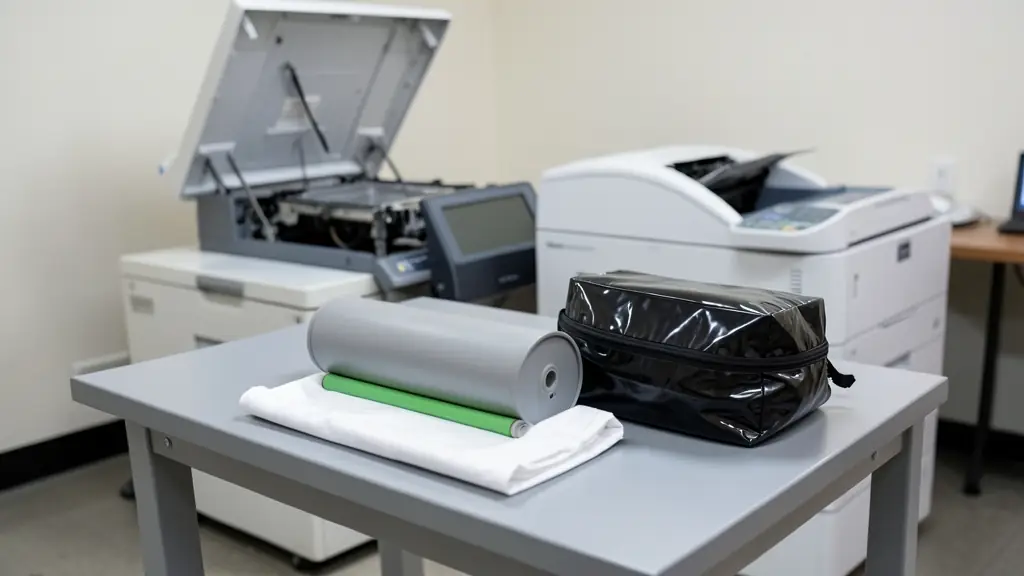
A drum unit is the part that carries the image in a laser printer or copier. A laser or LED writes each page onto the light sensitive drum as an electrostatic charge, toner sticks to the charged areas, and the drum rolls it onto the paper before the fuser melts it in place. The drum wears with every page, and when it goes, every copy shows it. Tell us your machine and what you need, and we pass your request to independent copier parts suppliers and technicians near you, who quote you directly.
Signs of a worn drum
A worn or damaged drum gives faults that repeat on every page, often at the same distance down the sheet each time:
- Fine vertical lines or streaks
- A grey haze over the white background
- Repeating dots or marks down the page
- Faded or patchy areas that toner does not fix
Many printers also show a message when the drum reaches its page count. Before you buy, rule out the toner: a nearly empty or faulty cartridge can look similar. If the fault stays with a new cartridge, the drum is the likely cause, though a fuser or transfer part can also mark pages.
Drum life in pages
Makers give each drum a life in pages, and the real life is often shorter. Printing one or two pages at a time wears a drum faster than long runs, because each job turns the drum through its start and stop. Colour drums usually wear sooner than black ones. The drum life is separate from the toner yield, so a drum usually outlasts several toner cartridges. Check the page count in the printer's menu to see how far yours has gone.
Combined or separate, and imaging units
Many small laser printers use a cartridge with the drum built in, so a new cartridge brings a new drum. Others have a separate drum and toner, which costs less per page but means two parts to replace. Colour copiers often have an imaging unit for each colour, sometimes with a developer unit, plus a transfer belt. On copiers under a service contract, the drum is usually replaced by the dealer as part of the contract.
Handling and fitting
A drum is light sensitive. Keep it in its bag or out of direct sunlight while it is out of the machine, and never touch the drum surface: oil from skin and scratches show up on every page. On a desktop printer, replacing the drum is usually a simple job you can do yourself, then reset the drum counter as the manual explains. On a big office copier, a drum change often goes with cleaning and adjustments, so it is usually a job for a copier technician.
What to put in your request
- The printer or copier make and model
- The drum part number if you have it
- The page count from the machine's menu
- What the fault looks like on the page
- Supply only or supplied and fitted
Drum Units for offices, schools and home offices
- Home offices: a replacement drum for a small laser printer that has started printing grey pages
- Small businesses and shops: a new drum for the office printer when lines appear on quotes and invoices
- Corporate and head offices: drums and imaging units replaced across a fleet as page counts come due
- Schools, colleges and universities: drums worn fast by short print runs of class lists and worksheets
- Medical practices, clinics and hospitals: a drum for the reception printer so scans and letters print clean
- Law firms, accountants and agents: drum replacement on a copier printing long contracts and court bundles
- Government and municipalities: drum units bought on a quotation for out of contract office printers
- Factories, mines and warehouses: drums for printers in dusty sites where grit scratches the surface
- Churches, NGOs and community groups: a compatible drum that brings an old donated printer back to clean pages
Frequently asked questions
How do I know if it is the drum or the toner?
Is a compatible drum unit any good?
Why does my printer still say replace drum after I fitted a new one?
Do you supply drum units yourselves?
Drum Units by province and city
- Johannesburg
- Pretoria
- Centurion
- Midrand
- Sandton
- Randburg
- Roodepoort
- Krugersdorp
- Randfontein
- Germiston
- Boksburg
- Benoni
- Kempton Park
- Alberton
- Vanderbijlpark
- Vereeniging
- Durban
- Pinetown
- Pietermaritzburg
- Richards Bay
- Newcastle
- Ladysmith
- Gqeberha (Port Elizabeth)
- East London
- Kariega (Uitenhage)
- Mthatha
- Cape Town
- Bellville
- Paarl
- Stellenbosch
- George
- Worcester
- eMalahleni (Witbank)
- Middelburg
- Secunda
- Mbombela (Nelspruit)
- Rustenburg
- Brits
- Klerksdorp
- Potchefstroom
- Mahikeng
- Polokwane
- Tzaneen
- Kimberley
- Upington
- Bloemfontein
- Welkom
- Sasolburg