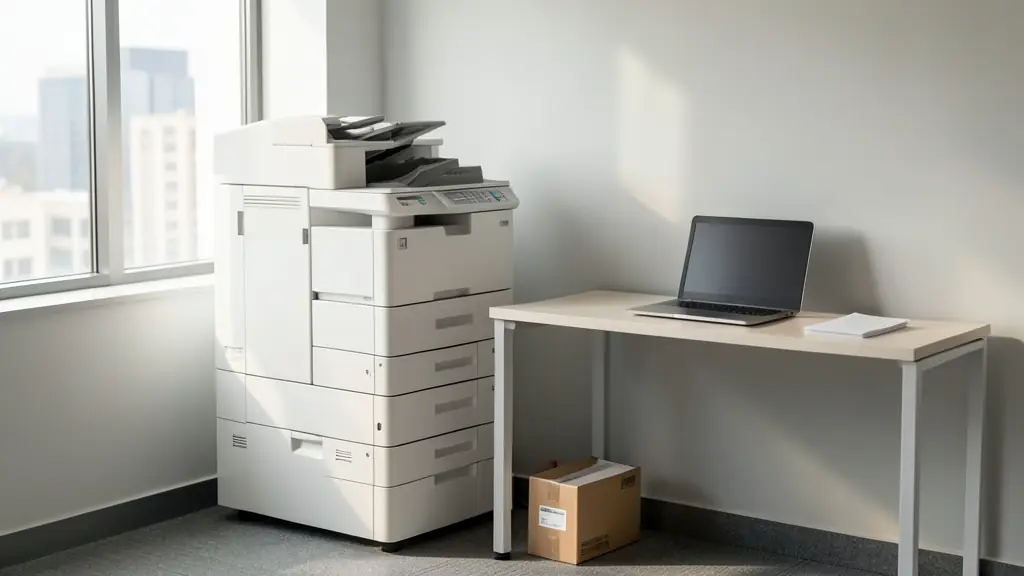
A photocopier today is almost always a digital multifunction machine: it scans the original and prints the copy, and the same machine prints from every computer on the network, scans to email and folders and sometimes faxes. Dealers sort copiers by speed in pages per minute, by paper size (A4 only, or A3 and A4) and by colour or mono. This page explains those classes, the ways to pay, the click charges that make up most of the running cost, the space a machine takes, and how to compare the quotes independent copier dealers send you.
Speed, paper size and colour
Three choices put a copier in its class. Speed is given in pages per minute (ppm): roughly 20 to 30 ppm suits a small office, 30 to 50 ppm a busy department, and 60 ppm and more is production and high volume work. Paper size is A4 only, or A3 and A4; A3 machines are bigger and usually built for more pages, see A3 printers and copiers. Colour or mono matters most for the running cost, because a colour page costs a good deal more than a black one.
For a team of a few people, a desktop multifunction printer or a laser printer may do the job.
Size it to your monthly volume
Makers quote a maximum monthly duty cycle, but that figure is far above what the machine should do every month. Dealers size copiers by the recommended monthly volume, and a machine run near its limit jams and breaks down more often. So measure first: most copiers and printers show a page count, the meter, in the menu. Note it today and again in a month, black and colour separately.
If you run many printers across floors or branches, a managed print audit counts them all and often recommends fewer, better machines.
Buy, rent or lease, plus the clicks
- Buy outright: a new copier or a used or refurbished one, yours from day one.
- Rent: a monthly fee on a shorter or more flexible term; the rental company owns the machine. See photocopier rental.
- Lease: a finance agreement, usually over 36, 48 or 60 months, with fixed payments. See photocopier leasing.
Whichever you choose, the running cost usually sits in a service contract priced per click: a rate per black page and per colour page, billed monthly from the meter. It usually covers toner, parts, labour and call-outs, but not paper or damage, so budget for copy paper separately.
How much space a copier needs
A floor standing A3 copier on its cabinet or paper deck needs a good deal of floor space, plus room in front for the trays and doors to open, and at the side for a finisher. Ask the dealer for the width, depth and height with every option fitted, then measure the doorways, passages, stairs and lift it must pass through. Plan a dedicated plug point and a surge protector, because the surges when power returns after load-shedding damage electronics. Delivery and network setup are covered under copier installation.
To compare quotes, add up the full monthly cost at your real volume: rental or lease, plus clicks, plus any minimum billing and the yearly escalation.
What to put in your request
- Pages a month in black and in colour
- A4 only, or A3 as well
- How many people print and scan on it
- Buy, rent or lease, and for how long
- Where it goes: floor space, stairs, lift, doors
Photocopiers for offices, schools and home offices
- Home offices: a desktop multifunction printer rather than a copier, unless you print thousands of pages
- Small businesses and shops: one A4 or A3 copier on a rental or lease with a click contract
- Corporate and head offices: a copier on every floor with secure print, user codes and one monthly bill
- Schools, colleges and universities: fast mono A3 copiers for exam papers and worksheets, busiest in exam season
- Medical practices, clinics and hospitals: a colour multifunction copier that scans forms to patient files and protects the data
- Law firms, accountants and agents: A3 copies of contracts and plans, scanning to client folders and secure print
- Government and municipalities: copiers bought on tenders or framework contracts for offices across several sites
- Factories, mines and warehouses: a rugged mono copier for delivery notes and job cards in a dusty depot
- Churches, NGOs and community groups: a used or donated copier for newsletters and orders of service
Frequently asked questions
Is a photocopier the same as a multifunction printer?
Is toner included in the monthly cost?
What happens to the scans stored on my old copier?
Do you sell or rent photocopiers yourselves?
Photocopiers by province and city
- Johannesburg
- Pretoria
- Centurion
- Midrand
- Sandton
- Randburg
- Roodepoort
- Krugersdorp
- Randfontein
- Germiston
- Boksburg
- Benoni
- Kempton Park
- Alberton
- Vanderbijlpark
- Vereeniging
- Durban
- Pinetown
- Pietermaritzburg
- Richards Bay
- Newcastle
- Ladysmith
- Gqeberha (Port Elizabeth)
- East London
- Kariega (Uitenhage)
- Mthatha
- Cape Town
- Bellville
- Paarl
- Stellenbosch
- George
- Worcester
- eMalahleni (Witbank)
- Middelburg
- Secunda
- Mbombela (Nelspruit)
- Rustenburg
- Brits
- Klerksdorp
- Potchefstroom
- Mahikeng
- Polokwane
- Tzaneen
- Kimberley
- Upington
- Bloemfontein
- Welkom
- Sasolburg