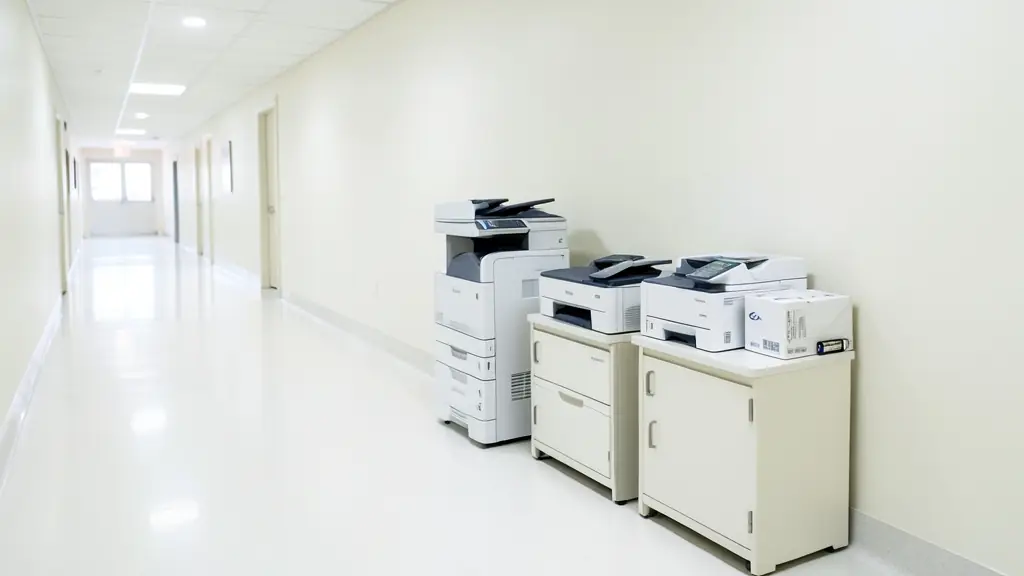
Managed print services, often called MPS, hand the whole fleet of printers and copiers to one supplier. They count your machines and pages, recommend fewer and better ones, watch every device remotely, send toner before it runs out, send technicians when something breaks and bill you per page across all sites. It suits corporates, schools, hospitals and government offices with many machines of different ages and makes. Send one request and we pass it to independent print management suppliers and copier dealers near you, who quote you directly.
It starts with an audit
Most suppliers begin by counting what you have: every printer and copier, its age, its monthly volume, what toner it uses and who looks after it. Many offices find old desktop printers that print little but cost a lot in cartridges, next to a busy copier that is overloaded. The audit usually ends with a plan: fewer machines, placed where people work, with a mix of multifunction printers and bigger copiers sized to real volumes. Ask whether the audit is free, how long it takes, and whether you get the full report even if you do not sign.
Remote monitoring and toner on time
Software on your network reports each machine's meter reading, toner levels and error codes to the supplier. Toner is delivered before it runs out, faults are often logged before anyone phones, and meter readings arrive without someone walking round with a clipboard. Ask what the software collects, where that data goes and who on your side approves it being installed. Your IT team will want to know whether it needs open ports or internet access, and whether it collects anything beyond counters, toner levels and fault codes.
Print rules and secure print
MPS is also a chance to set sensible defaults:
- Black and white unless colour is chosen
- Duplex, printing on both sides, by default
- Secure or follow-me print, where a job only releases when you log in at the machine
- User codes or department accounting so each cost centre sees its own pages
Secure print stops confidential pages lying in output trays, which helps with POPIA. Rules like these often cut volumes and costs more than a cheaper click rate does. See copier installation and networking for how this is set up.
Billing and reports across sites
Instead of separate invoices for rentals, toner and repairs, you get one bill based on pages, often split by site or department, with reports showing volumes and trends. Compare quotes on the total cost at your real volume, the minimum billing, escalation, the response times per site and the contract term. Read the cancellation terms and what happens to the machines at the end, including how hard drives are wiped when old machines leave. For a single copier, a plain service contract is usually simpler.
What to put in your request
- Number of printers and copiers now
- Number of sites and floors
- Rough monthly pages, black and colour
- Machines you want to keep
- Tender or procurement rules that apply
Managed Print Services for offices, schools and home offices
- Home offices: rarely needed, though remote staff printers can be added to a company plan
- Small businesses and shops: a few printers and one copier brought onto one monthly page bill
- Corporate and head offices: a fleet across floors and branches audited, cut down and monitored remotely
- Schools, colleges and universities: staff room and admin machines on one plan with exam season volumes tracked
- Medical practices, clinics and hospitals: ward and reception printers with secure print so patient pages are not left out
- Law firms, accountants and agents: a law firm's printers on follow-me print with costs billed per client
- Government and municipalities: printers across many municipal sites on one contract from a tender
- Factories, mines and warehouses: printers at a plant and depots monitored so toner arrives before it runs out
- Churches, NGOs and community groups: a church group with several offices sharing one simple page plan
Frequently asked questions
Do you run managed print yourselves?
How many printers do we need before MPS makes sense?
Can we keep the machines we already have?
Is MPS suitable for schools and government offices?
Managed Print Services by province and city
- Johannesburg
- Pretoria
- Centurion
- Midrand
- Sandton
- Randburg
- Roodepoort
- Krugersdorp
- Randfontein
- Germiston
- Boksburg
- Benoni
- Kempton Park
- Alberton
- Vanderbijlpark
- Vereeniging
- Durban
- Pinetown
- Pietermaritzburg
- Richards Bay
- Newcastle
- Ladysmith
- Gqeberha (Port Elizabeth)
- East London
- Kariega (Uitenhage)
- Mthatha
- Cape Town
- Bellville
- Paarl
- Stellenbosch
- George
- Worcester
- eMalahleni (Witbank)
- Middelburg
- Secunda
- Mbombela (Nelspruit)
- Rustenburg
- Brits
- Klerksdorp
- Potchefstroom
- Mahikeng
- Polokwane
- Tzaneen
- Kimberley
- Upington
- Bloemfontein
- Welkom
- Sasolburg